Getting Started with TalkMaxx
Everything you need, from creating your account to your first conversation.
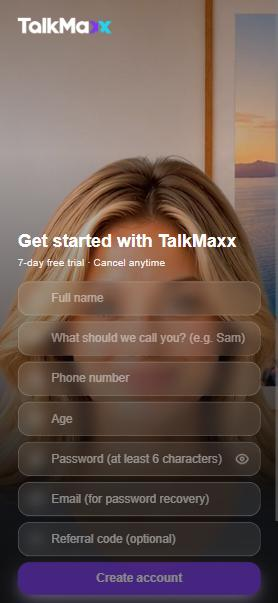
1. Create your account
Go to talkmaxx.com and tap "Create Account." Enter your full name, what to call you, phone number, age, a password (6+ characters), and your email (needed if you ever forget your password). Add a referral code if you have one -- optional.
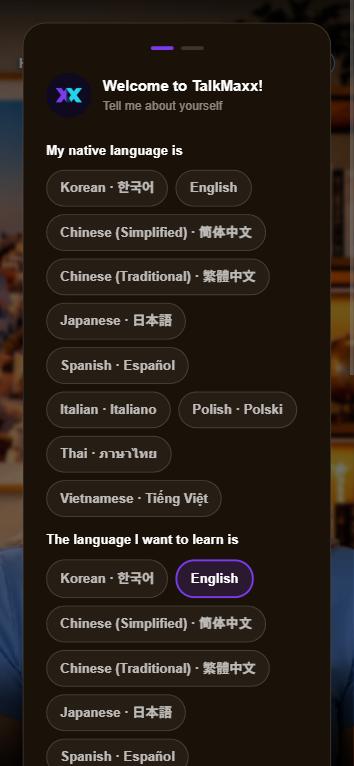
2. Tell us about yourself
Choose your native language and the language you want to learn, check your name, age, and email, and pick a few interests if you'd like -- optional, but it helps your tutor bring up topics you'll actually enjoy talking about.
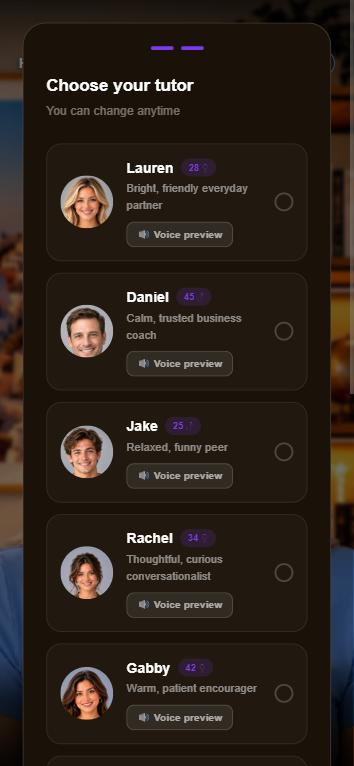
3. Choose your tutor
Pick Lauren, Daniel, Jake, Rachel, Gabby, Amy, Marcus, Kenji, Coco (kids) or Max & Mia. Tap 🔊 to preview each voice first. You can switch anytime in Settings, so don't overthink it.
4. Add TalkMaxx to your home screen
Add an icon to your home screen so TalkMaxx opens instantly, just like an app.
- Open talkmaxx.com in Chrome.
- Tap the three-dot menu (⋮) in the top-right corner.
- Tap "Install and create shortcut."
- Choose "Install" -- not "Create shortcut."
- Tap "Install" to confirm.
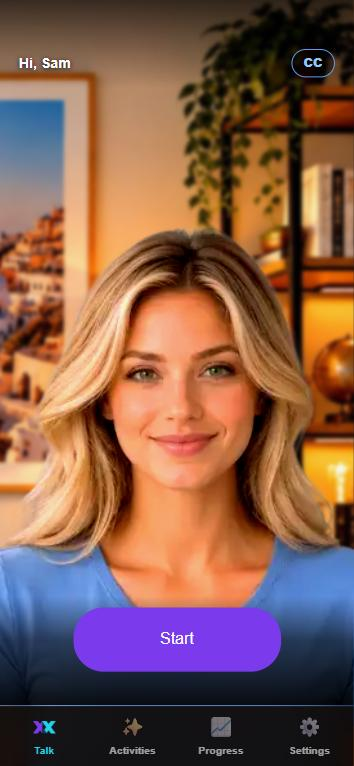
5. Start talking
After a quick tour, tap "Start" and just talk. Your English doesn't need to be perfect -- talk naturally, and your tutor will help as you go.